UI/UX Design

Strengthen your digital presence with professional UI/UX design services that improve usability, user engagement, visual appeal, and overall digital product performance.

Information Architecture

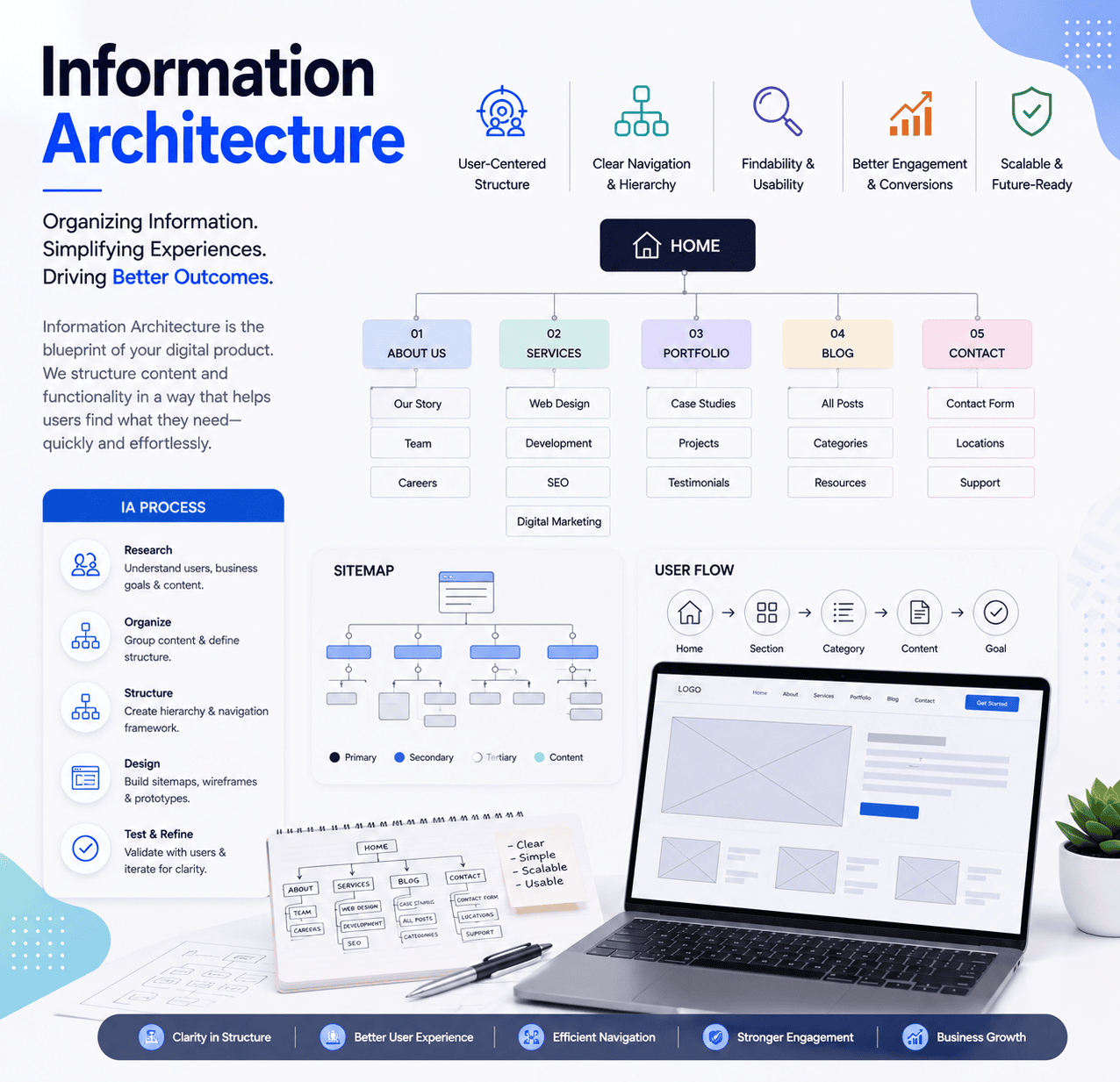
Information architecture (IA) organizes and structures digital content so users can navigate websites and applications easily. It involves grouping information, defining clear hierarchies, creating logical relationships, and planning intuitive navigation paths. By focusing on user needs, business goals, and content priorities, IA helps users find relevant information quickly. Wireframes, sitemaps, and prototypes are often used to refine the structure, improve usability, and create a smoother overall user experience.

A key information architecture tool is a user flowchart, which helps map navigation paths, user actions, and decision points across a digital product. These flowcharts allow design and development teams to identify missing steps, improve content structure, simplify navigation, and ensure the final website or application delivers a clear, efficient, and user-friendly experience.
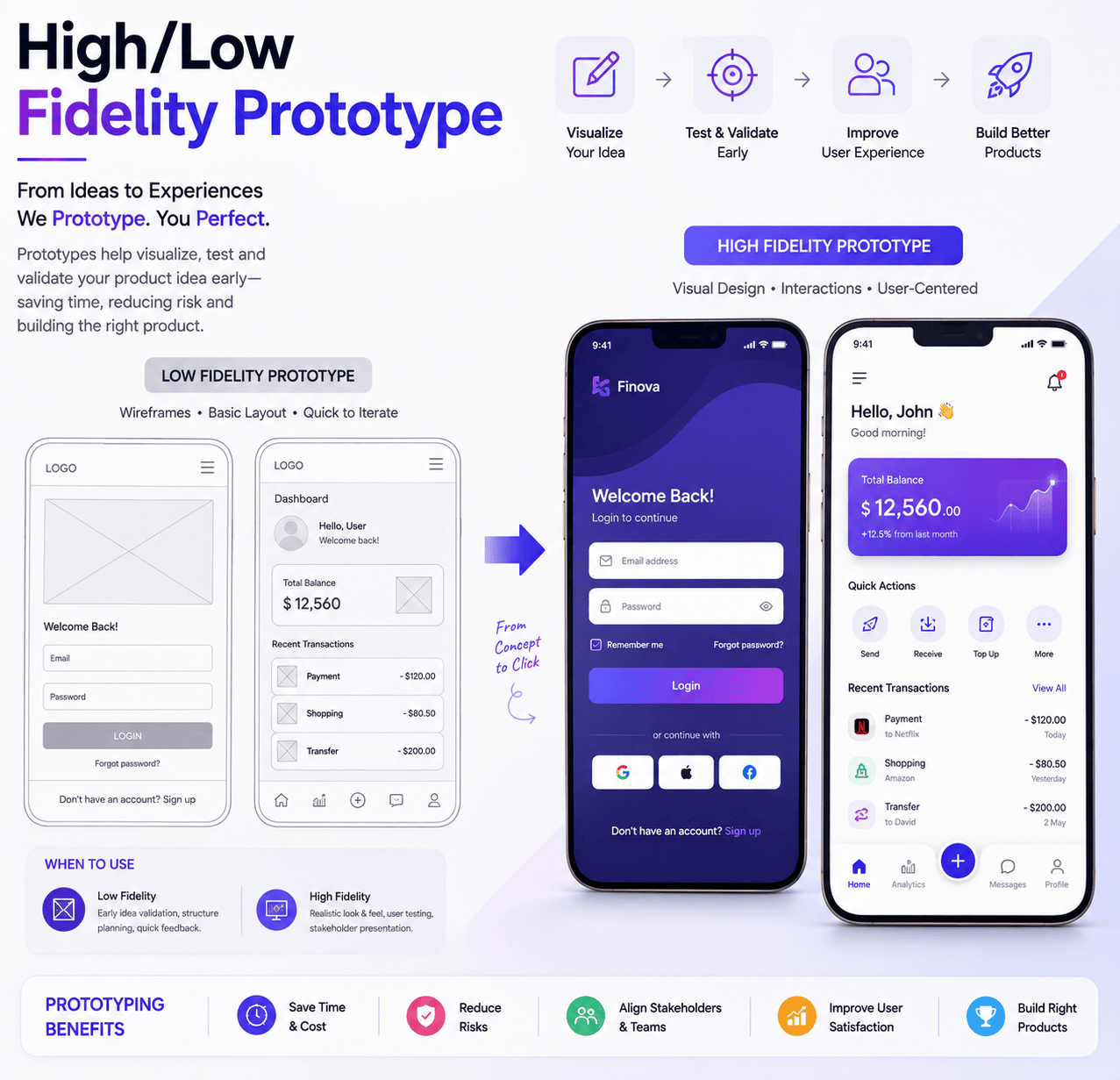
High/Low fidelity Prototype

High-fidelity prototypes are detailed interactive representations of a digital product that closely reflect the final user interface, visual design, functionality, transitions, and user interactions. They help stakeholders evaluate the complete experience, test usability, and identify improvements before moving into full development.

Low-fidelity prototypes are simplified representations focused on layout, structure, navigation, and core functionality. They allow teams to explore ideas quickly, validate user flows, gather feedback, and refine concepts before investing additional time and resources in detailed UI design and development.

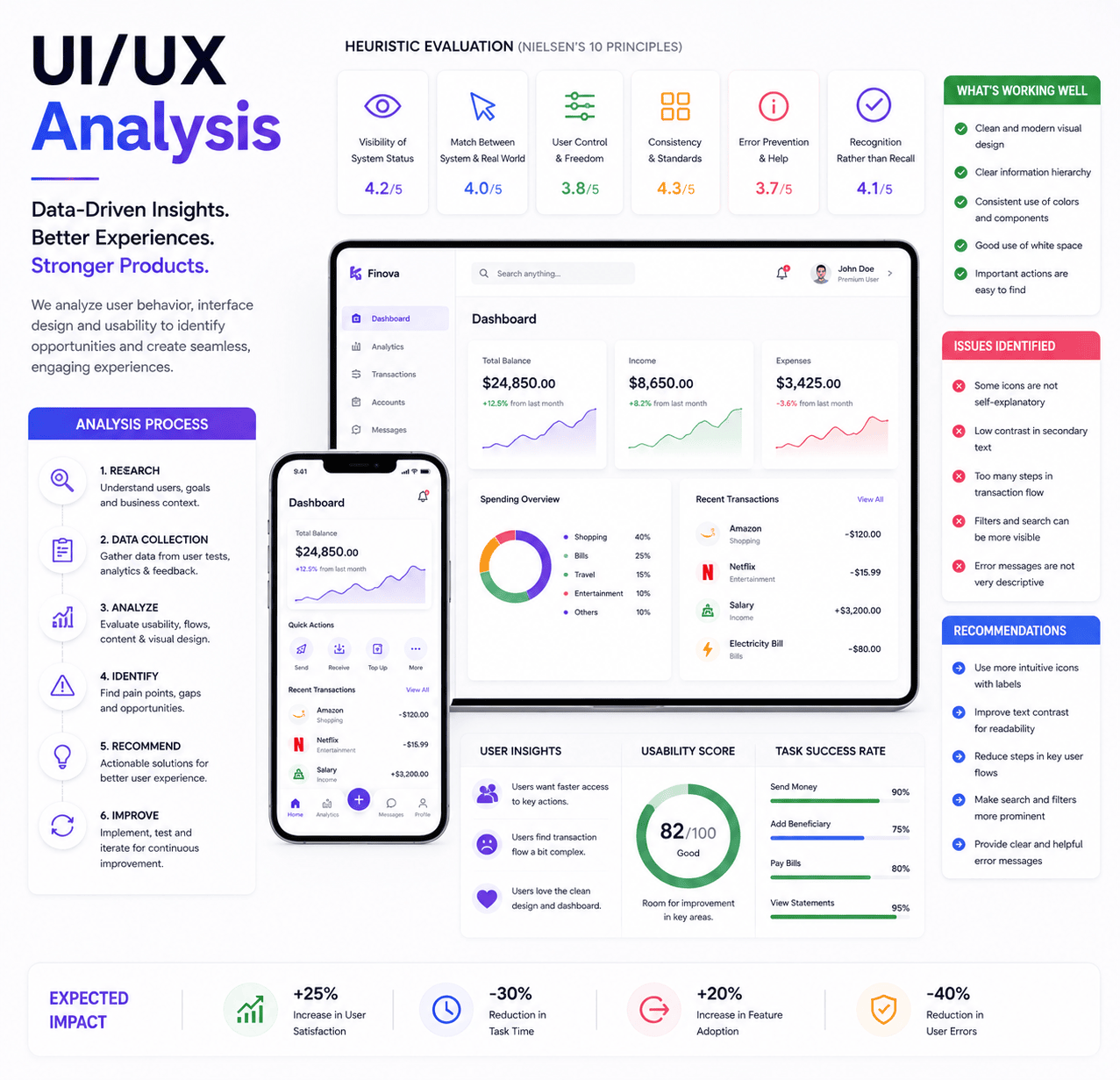
UI/UX Analysis

UI/UX analysis evaluates the user interface and overall user experience of a digital product to improve usability, accessibility, engagement, and performance. By reviewing user behavior, navigation patterns, visual elements, interactions, and usability feedback, we identify areas that need improvement. These insights help refine layouts, simplify user journeys, strengthen interface consistency, and create intuitive digital experiences aligned with user expectations and business goals.

Wireframes Designing

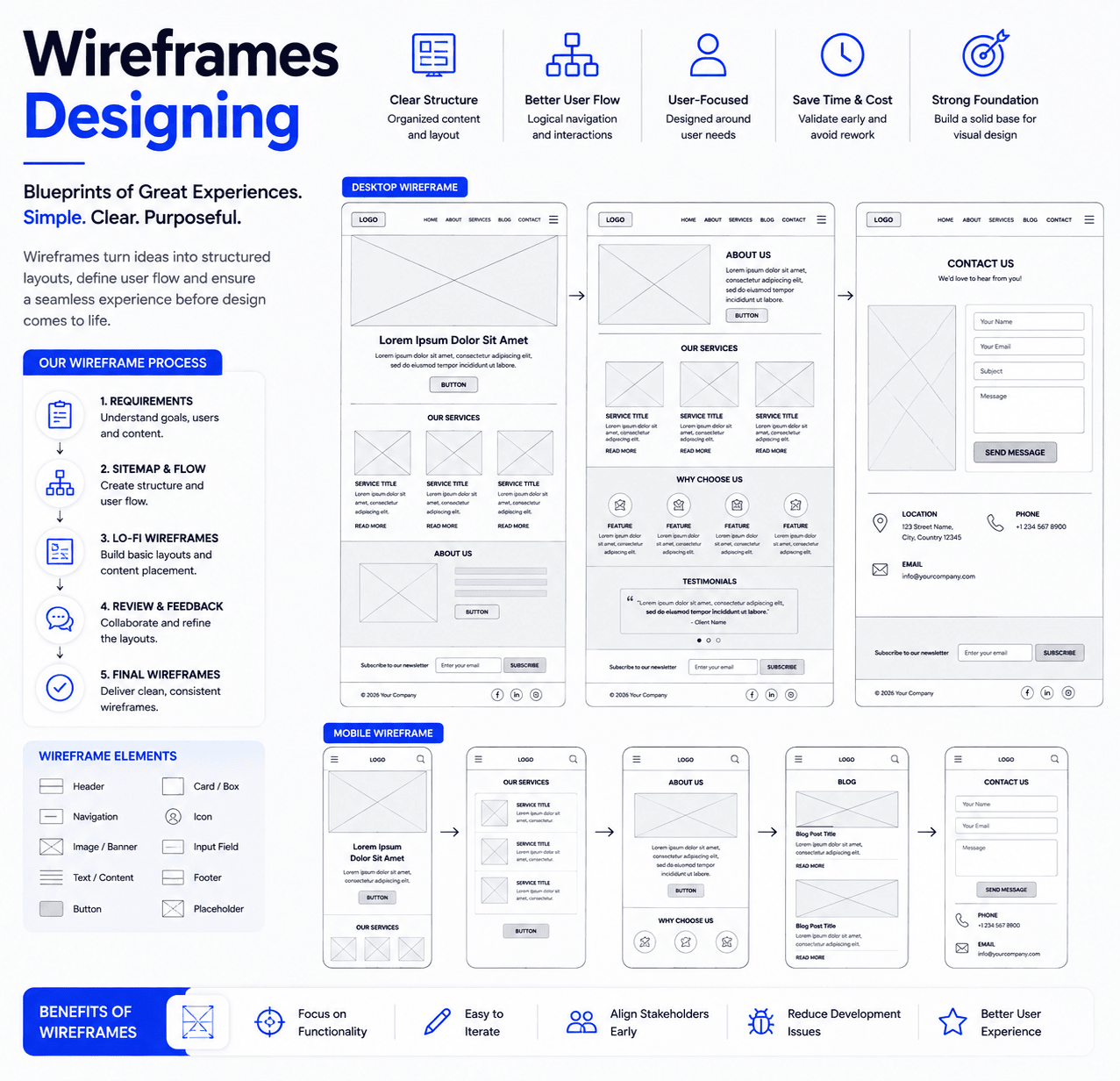
Wireframe designing involves creating structured visual blueprints for websites, mobile apps, and digital interfaces to define layout, navigation, content placement, and core functionality. It helps designers and stakeholders understand user flow before detailed UI design begins. By focusing on usability, hierarchy, and interaction planning, wireframes identify potential issues early, reduce development changes, and create a clear foundation for intuitive, user-friendly digital experiences.

UI Design

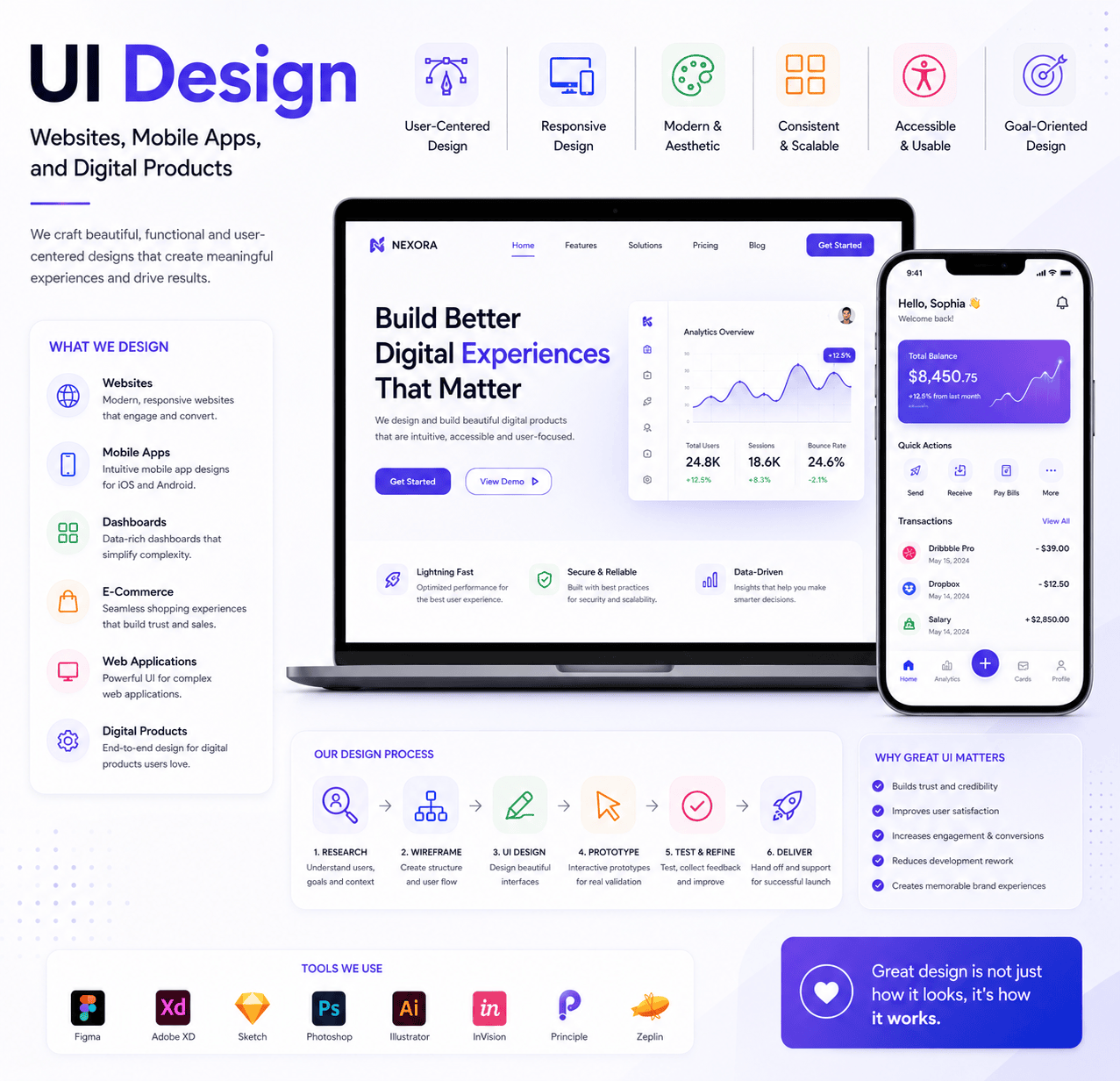
UI design focuses on creating attractive, intuitive, and functional interfaces for websites, mobile apps, and digital products. It combines layout, typography, color, icons, imagery, and interactive elements to improve usability and visual consistency. By understanding user needs and behavior, UI designers create interfaces that support smooth navigation, clear interactions, and engaging experiences. Through prototyping, testing, and refinement, designs are optimized to align with user expectations, brand identity, and business goals.

Mobile App Design

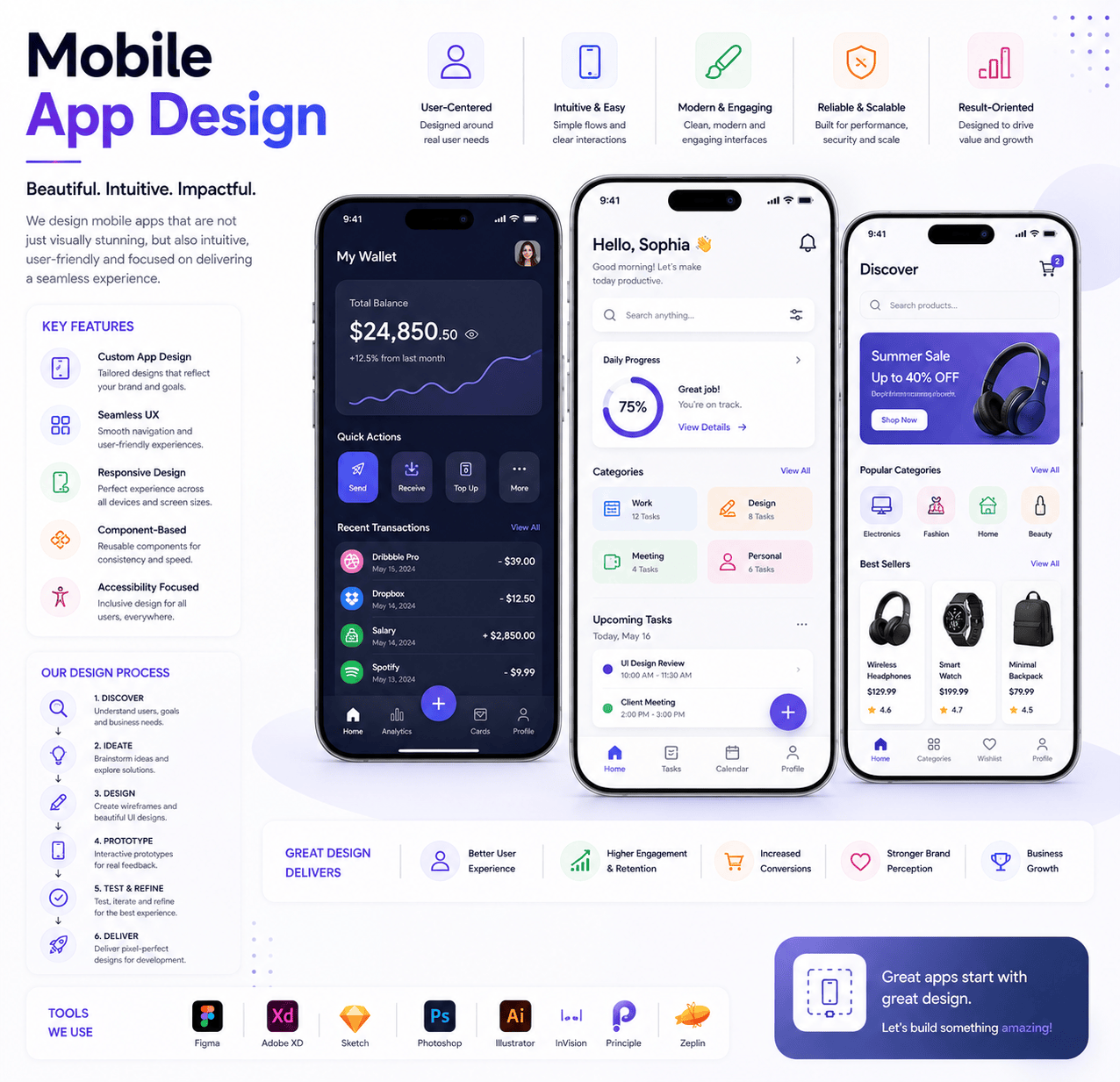
Mobile app design focuses on creating intuitive, responsive, and visually engaging interfaces for smartphones and tablets. Designers consider screen sizes, touch interactions, accessibility, navigation patterns, and device behavior to improve usability and user experience. By combining clear layouts, simple interactions, and consistent visual elements, mobile app design helps users complete tasks efficiently. Through wireframing, prototyping, testing, and refinement, designers create user-friendly applications that support business goals, strengthen engagement, and improve overall customer satisfaction.